

How to order online at Nerds
Your logo on merch people actually want to wear, in 7 simple steps. It takes about 5 minutes and you see the price live the whole way.
Before you start
- Your logo file. PNG with a transparent background, SVG or PDF work best.
- Your sizes and quantities. From 1 piece to as many as you need. The more you order, the lower the unit price.
- 5 minutes. That is really all it takes.
Tap a screenshot to see it bigger.
Pick your product
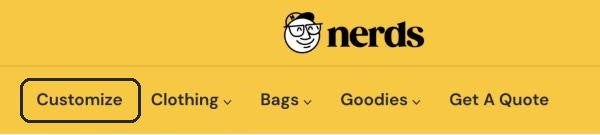
Click Customize in the menu to see everything you can personalize, or browse a category like Clothing, Bags or Goodies. Then click the product you like.
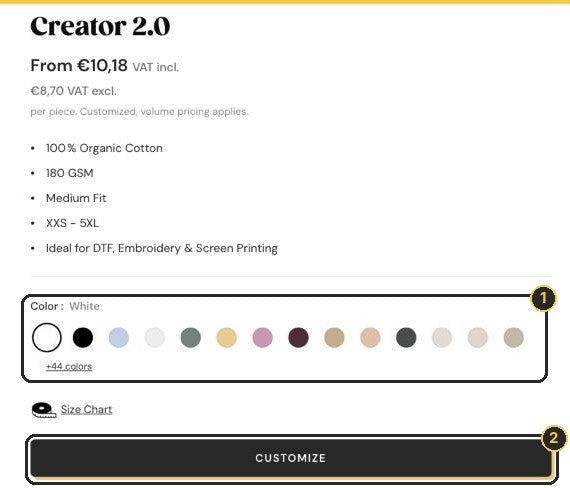
Choose a color, then click Customize
Pick your color 1, then click the big Customize button 2. This opens our online designer.
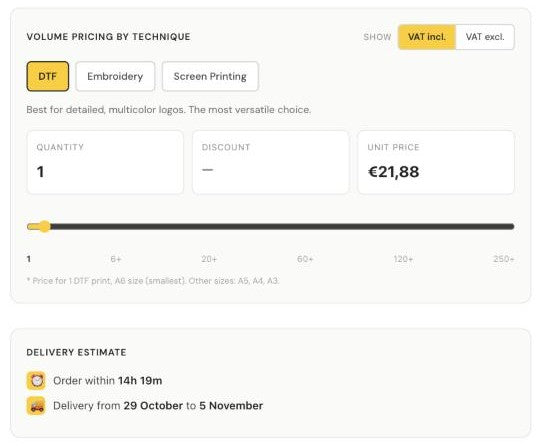
Scroll down a little first: you will find the volume pricing for each technique and your estimated delivery date.
Add your logo
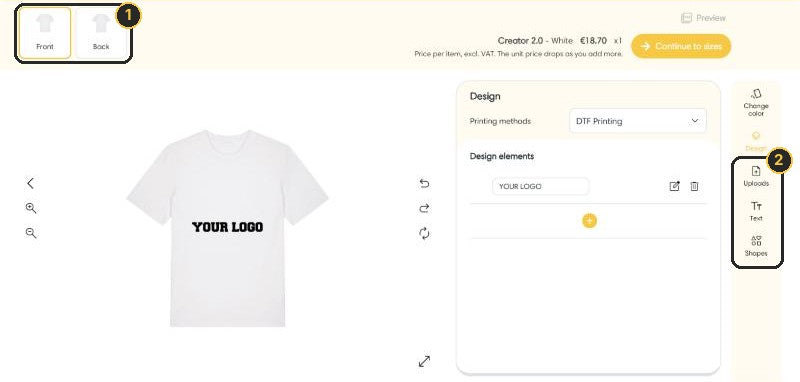
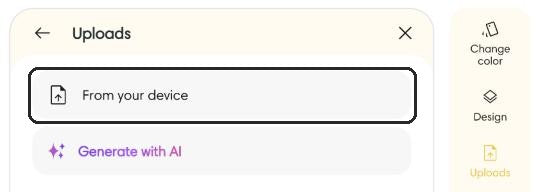
Choose where your design goes: Front or Back 1. Then use the toolbar on the right 2:
- Uploads, then From your device, to add your logo
- Text to add a name, a slogan or a date
- Shapes for simple graphics
Drag your logo to move it and pull the corners to resize it. The dotted frame shows the print area.
Front and back? Add your first design, click Back and add the second one. The price updates live with every print you add.
Choose your technique
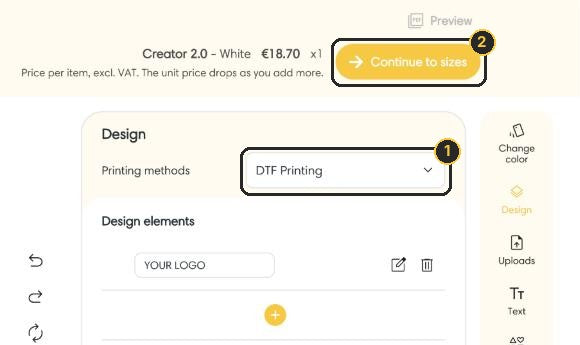
In the Design panel, pick your Printing method 1: DTF Printing or Embroidery, depending on the product. Happy with how it looks? Click Continue to sizes 2.
Not sure which one? DTF is the most versatile choice and works great for detailed, multicolor logos. Embroidery gives a premium stitched finish, perfect for simple logos on polos, caps and sweatshirts.
Set your sizes and quantities
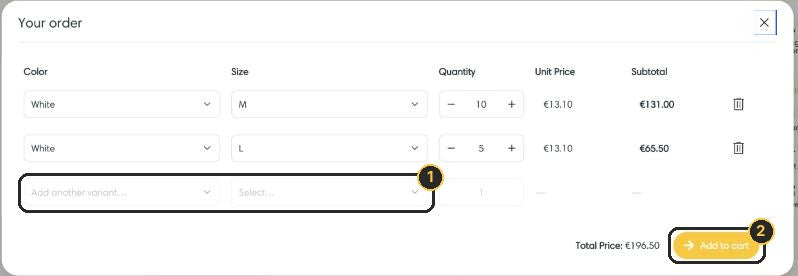
Each line is one color and one size. Choose the size, set the quantity, then use Add another variant 1 for the next size or color. The unit price drops as your total quantity grows. All set? Click Add to cart 2.
Fill in all your sizes here, in the designer. Mixing sizes and colors in one order is no problem.
Check your cart and add extras
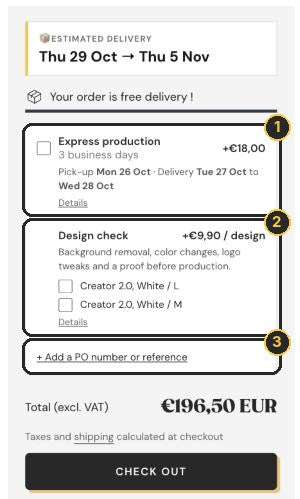
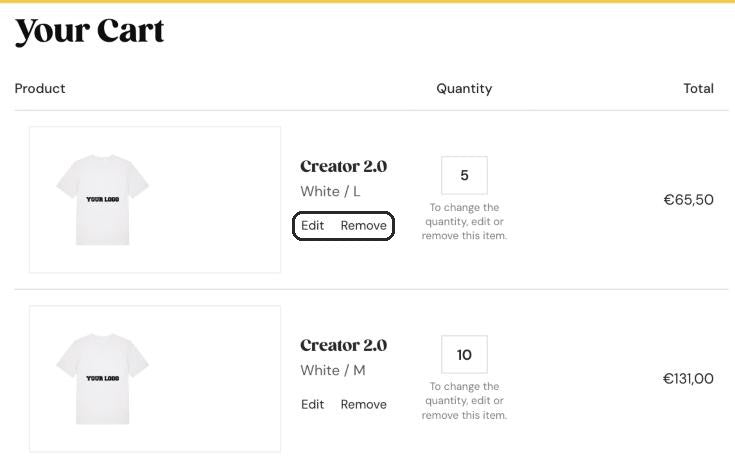
Your cart shows a preview of every item. Want to change something? Click Edit to reopen your design. Then add the extras you need:
- Express production 1: +€18 per order, produced in 3 business days (up to 20 pieces).
- Design check 2: +€9.90 per design. Our team gets your file ready for print: vectorizing, background removal, color tweaks and small logo fixes.
- PO number or reference 3: handy for your accounting.
Then click Check out.
No design check? We print your design as you placed it, so upload the sharpest file you have.
Check out
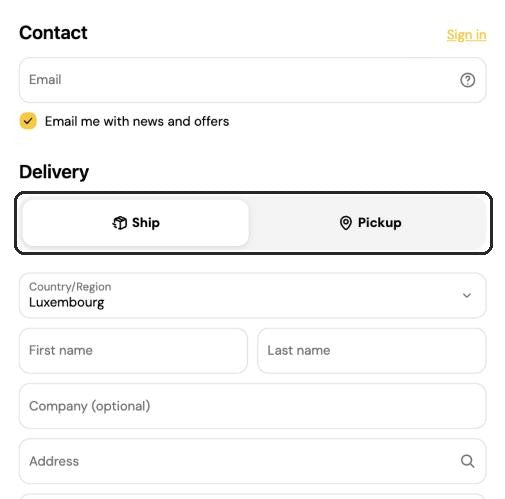
Enter your email, choose Ship or Pickup at our showroom in Belvaux, add your company name and address, then pay by card, Apple Pay or Google Pay. Got a discount code? Add it in the order summary.
On your phone?
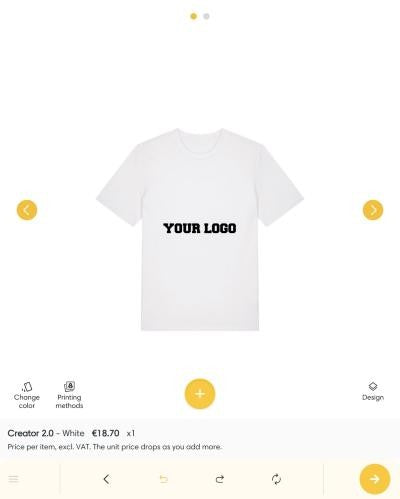
Same steps, same prices. In the designer, the tools sit at the bottom of the screen: tap the yellow + to add your logo, then the arrow to continue to sizes.
What happens next
Good to know
Is there a minimum order?
No minimum. Order 1 piece or 1,000, all online. The unit price drops automatically as your quantity grows.
Which logo file should I upload?
A PNG with a transparent background, an SVG or a PDF. Use the biggest, sharpest version you have: blurry in, blurry out. Not sure your file is good enough? Add the Design check in your cart.
Can I mix sizes and colors?
Yes. In the sizes step, add one line per size and color before you add to cart.
Can I order different designs at once?
Sure. Customize the product again with your other design and add it to your cart. Each design gets its own line.
I need it fast. What are my options?
Pick Express production in your cart: +€18 per order, produced in 3 business days, up to 20 pieces. For bigger rush orders, contact us before ordering.
I made a mistake after ordering.
Contact us as soon as possible at info@nerds.store or +352 27 94 09 28 and we will see what we can do.
I would rather have someone do it for me.
No problem. Request a quote and we send you a free mockup within 24h.
Need a hand?
Our team is happy to help. Email info@nerds.store or call +352 27 94 09 28.
